Access control
Let members unlock club gates and doors from the Open Active app with Shelly relays. Staff can open remotely from club admin; members need to be near the club.
Avantages clés
Unlock gates from the Open Active app
Works with Shelly Gen2 and Gen3 relays
Same Shelly Cloud account as court lighting
Member unlock only near the club
Staff can unlock remotely from admin
Shelly relays for gates and doors
Link a Shelly Gen2 or Gen3 relay to each gate or door. Unlock is a short pulse: the relay turns on, then off after a few seconds. That matches electric strikes and Centurion-style gate motors. The club uses the same Shelly Cloud account as court lighting.
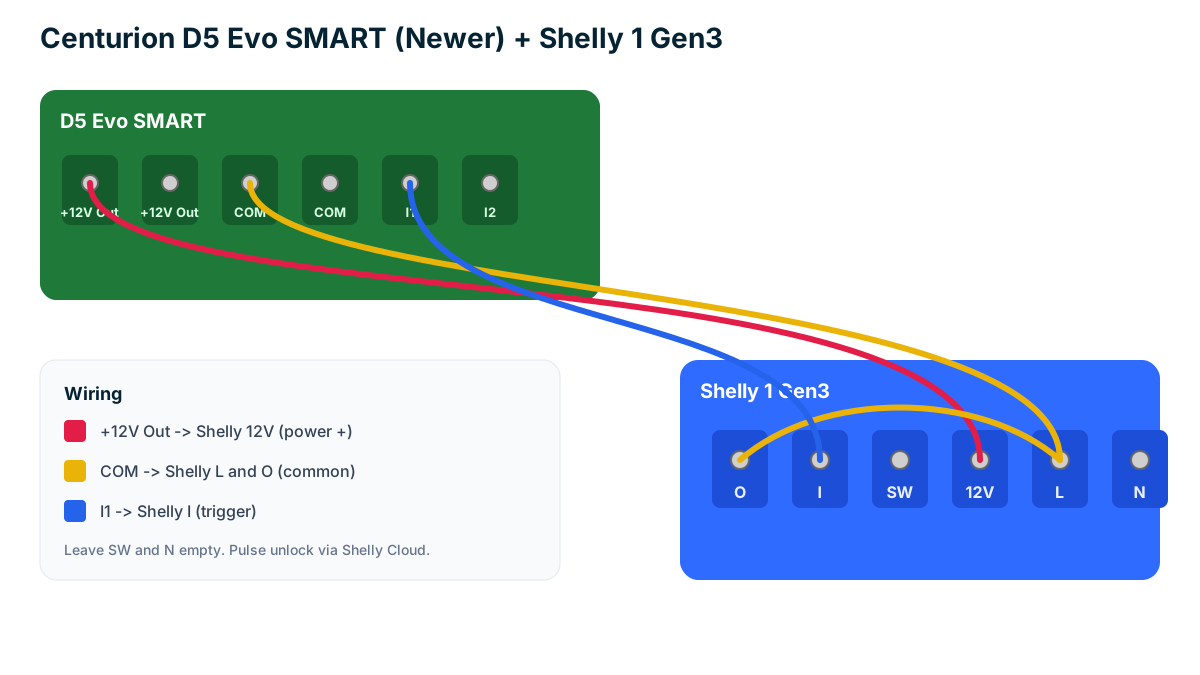
Centurion D5 Evo SMART wiring
On the newer D5 Evo SMART board, wire Shelly L and O to COM, Shelly 12V to +12V Out, and Shelly I to I1. Leave SW and N empty. The diagram shows the correct terminals.
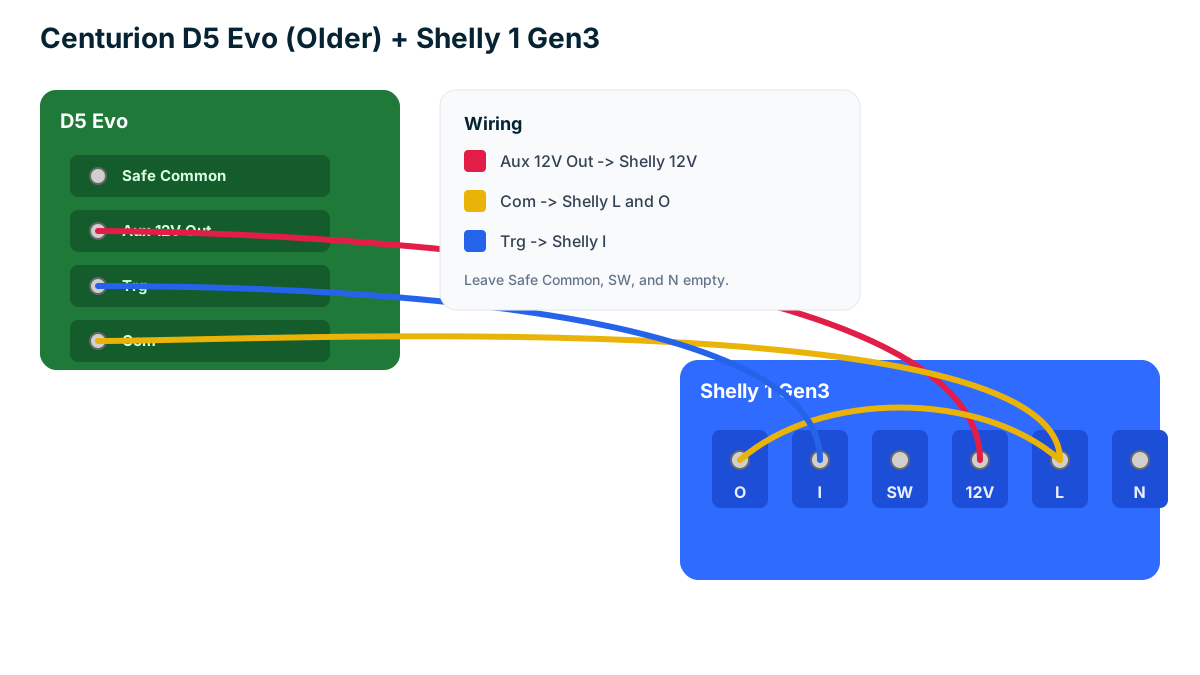
Centurion D5 Evo (older) wiring
On the older D5 Evo board, wire Shelly L and O to Com, Shelly 12V to Aux 12V Out, and Shelly I to Trg. Leave Safe Common, SW, and N empty.
Member unlock near the club
Members open gates from the Open Active app only when they are near the club map pin. Club staff can still unlock from admin without GPS. Set the club location and unlock radius in Access control settings.
Paramètres et options d'administration du club
Configurez les paramètres du club et personnalisez les options. Gérez les règles de réservation, l'accès des membres et les préférences système.
Trouvez les réponses ici
Questions fréquentes
Use a Shelly 1 Gen3 (or Gen2) relay on the gate trigger circuit, then add that Shelly device under Access control in club admin. Open Active sends a short unlock pulse through Shelly Cloud. The wiring differs slightly between the older D5 Evo and the newer D5 Evo SMART boards — see the diagrams below.